

Centralize your delivery data in a real-time dashboard so everyone uses one source of truth for inventory, orders, and statuses. Automate milestone triggers (arrival, inspection, delivery) to push timely updates and reduce follow-ups. Set multi-channel customer alerts that honor preferences and use templates for confirmations and ETAs. Integrate CRM and DMS to cut manual entry and keep records synced. Add scheduled alerts and exception reports to surface delays — keep going to see actionable setup steps and templates.
Key Takeaways
- Connect DMS and CRM to the delivery board for real-time syncing of vehicle, customer, and status data.
- Automate milestone triggers (arrival, inspection, ready-for-delivery) to push updates to the board instantly.
- Map customer contact preferences and enable multi-channel notifications (SMS/email) for status confirmations and ETAs.
- Create exception rules and scheduled alerts that flag delays and discrepancies on the delivery board automatically.
- Implement a centralized dashboard aggregating inventory, orders, and delivery metrics for one source of truth.
Centralize Delivery Data With a Real-Time Dashboard
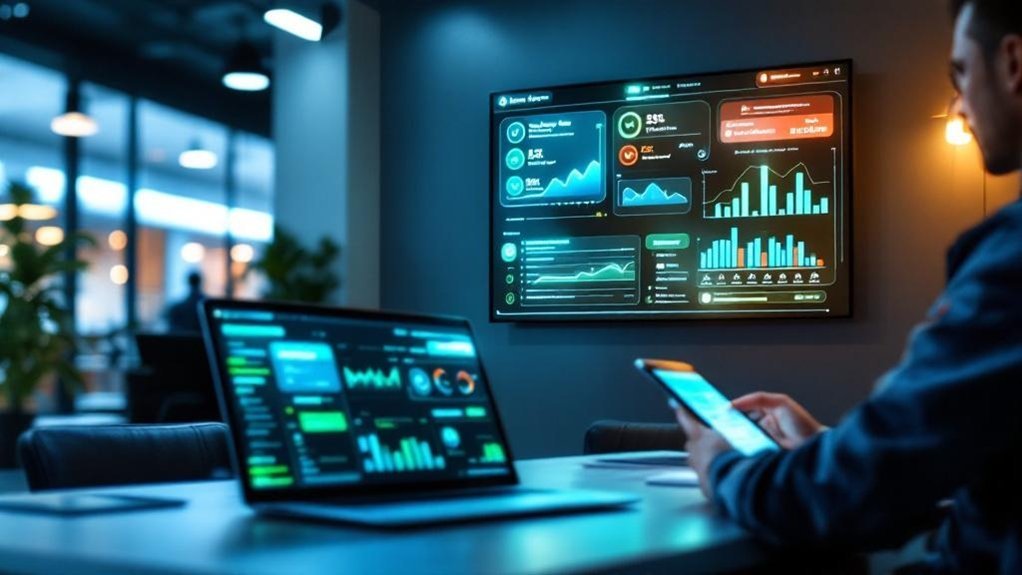
When you centralize delivery data in a real-time dashboard, you get a single source of truth that pulls inventory, customer orders, and delivery statuses from all your dealership systems—so teams stop wasting time on manual updates and can focus on customers and sales. You’ll centralize delivery data to reduce manual data entry and improve operational efficiency across sales, service, and logistics. The dashboard surfaces delivery trends and bottlenecks, enabling proactive decision-making and faster resolution of exceptions. You can automate notifications to alert stakeholders of status changes, keeping teams aligned and ready to act. That real-time visibility enhances customer satisfaction and helps you deliver a seamless buying experience that will enhance customer engagement and retention.
Automate Status Triggers for Vehicle Milestones
Because milestone triggers push real-time updates to everyone involved, you’ll cut down manual follow-ups and keep sales, service, logistics, and customers aligned as a vehicle moves from arrival to delivery. You’ll automate status triggers tied to vehicle milestones so delivery board updates reflect arrival, inspection, and handover without human intervention. Use AI-driven systems to prioritize notifications, reducing response time and improving operational efficiency and customer experience. Configure rules that map each milestone to stakeholder groups and communication channels, keeping customer communications timely and relevant.
Milestone-driven real-time updates automate status changes, reduce follow-ups, and keep teams and customers aligned throughout delivery.
- Define milestone triggers: arrival, inspection complete, delivery scheduled.
- Route automated notifications to sales, service, logistics, and customers.
- Use AI-driven systems to prioritize high-intent buyers for timely updates.
Set Up Multi-Channel Customer Notifications
Start by mapping the channels each customer prefers—SMS, email, or phone—so you can deliver delivery updates where they’ll actually be seen. Next, configure automated systems to trigger multi-channel notifications at key milestones; assign templates for personalized messages that reflect customer preferences and past interactions. Schedule confirmations, ETA alerts, and final pickup prompts to maintain consistent customer engagement and enhance customer experience. Monitor delivery update delivery rates and response metrics to iterate templates and timing. Train staff to interpret alerts so teams use time-saving automation instead of manual outreach, letting them focus on closing deals. Track retention impact—timely, tailored communication often boosts customer retention—and report results to stakeholders for continuous improvement.
Integrate CRM and DMS for Seamless Syncing
If you connect your CRM and DMS for real-time syncing, your sales and delivery teams will work from the same up-to-date records—cutting manual entry, reducing errors, and accelerating follow-up. You’ll use automation tools to keep customer data current, improve lead tracking, and streamline communication between departments. That alignment boosts operational efficiency and lets teams focus on actions that help close deals.
- Map key fields (customer data, inventory, sales activities) so CRM and DMS mirror updates instantly, enabling accurate lead tracking.
- Implement middleware or APIs as automation tools to handle real-time sync, conflict resolution, and audit logs for stakeholders.
- Define roles and SLAs so sales and delivery teams know responsibilities, ensuring seamless handoffs and faster closes.
Configure Scheduled Alerts and Exception Reports

When you configure scheduled alerts and exception reports, your team gets timely, actionable notifications about delivery-board changes and issues so they can act before problems escalate. You’ll set rules for scheduled alerts tied to real-time data integration so delivery updates trigger emails, texts, or dashboard flags. Exception reports surface delays, discrepancies, and inventory mismatches so stakeholders can perform proactive addressing. This reduces human error, tightens communication, and boosts operational efficiency and customer satisfaction. Assign recipients, escalation paths, and review cadences to close loops fast. Monitor report accuracy and adjust thresholds as delivery patterns change.
| Emotion | Impact | Call-to-action |
|---|---|---|
| Relief | Fewer surprises | Enable alerts now |
| Trust | Accurate data | Assign owners |
| Pride | Smooth deliveries | Review weekly |
| Control | Better inventory management | Tighten thresholds |
| Confidence | Happier customers | Track metrics |
Frequently Asked Questions
What Software Do Most Dealerships Use?
Most dealerships use Dealer Management systems (CDK, Reynolds, Cox) plus CRM (Salesforce, VinSolutions). You’ll integrate Inventory Tracking, Customer Relationship, Sales Automation, Service Scheduling, Lead Generation, Digital Marketing, Financial Reporting, Performance Metrics, Employee Training.
How Many Dealerships Use CDK?
About 9,000 U.S. dealerships use CDK; you’ll weigh CDK performance metrics, CDK user feedback, CDK integration challenges, CDK competitor analysis, CDK feature updates, CDK training resources, CDK customer support, CDK pricing models, CDK market trends, CDK success stories.
How to Increase Traffic to Your Car Dealership?
You’ll boost traffic by deploying digital marketing strategies: optimize local SEO, run targeted online advertising campaigns, improve website design, use email marketing tactics, encourage customer referral programs, drive social media engagement, employ content marketing, influencer partnerships, and community involvement initiatives.
What Is the Best CRM for Automotive?
Think of a mechanic who tuned one engine to win races—your best automotive CRM is one balancing top CRM features, CRM integration options, user friendly CRMs, CRM pricing models, mobile CRM solutions, CRM customer support, CRM sales tracking, CRM lead management.
Conclusion
You’ve got five practical ways to streamline delivery board updates so your team moves faster and customers stay informed. Start by centralizing live data, automate milestone triggers, link CRM and DMS, push multi-channel notifications, and schedule exception reports. Like a well-oiled machine, these steps cut chaos and boost accountability—so stakeholders see clearer timelines, fewer surprises, and measurable throughput gains. Implement them methodically and review results regularly to keep momentum.