
Your service status board should give you clear, real-time repair stages (e.g., In Progress, Awaiting Parts, Completed), accurate ETAs with progress timestamps, and parts availability indicators. It should show your advisor’s name, photo and contact, assigned technician info, and estimated wait times so you can plan. Include payment and appointment actions, targeted offers, and visual progress bars for reassurance. Keep layout readable and touch-enabled for interaction — continue and you’ll find practical setup and measurement tips.
Key Takeaways
- Current repair stage with clear labels (e.g., “In Progress,” “Awaiting Parts,” “Completed”) and timestamp.
- Estimated completion time or wait window tied to the repair order and updated in real time.
- Parts status indicator showing availability, on-order, expected delivery, or delays.
- Advisor and assigned technician names with photo and tap-to-call/email contact options.
- Visual progress timeline and ETA bar with high-contrast design for readability from a distance.
Key Takeaways for Service Status Menu Boards

When you check a service status menu board, you should get clear, real-time updates that show each stage of your vehicle’s repair or maintenance, alongside estimated wait times so you know what to expect. You’ll want digital signage that displays current status, personalized advisor contact details, and concise, customizable status phrases so you always understand progress. The board should combine ETA and stage indicators to reduce uncertainty and improve customer experience. Use visuals and targeted promotions to make waiting productive without distracting from status information. Design the process so updates are automatic, readable from a distance, and easy for staff to edit. That way you get transparency, reduced anxiety, and opportunities for the dealership to boost sales.
Essential Real-Time Vehicle Status Indicators
You’ll see the current repair stage clearly labeled so you know whether your vehicle is in inspection, repair, or ready for pickup. We’ll show an estimated completion time that updates as work progresses to help you plan your day. If parts are delayed or available, a parts availability status will be displayed so you can quickly decide on next steps.
Current Repair Stage
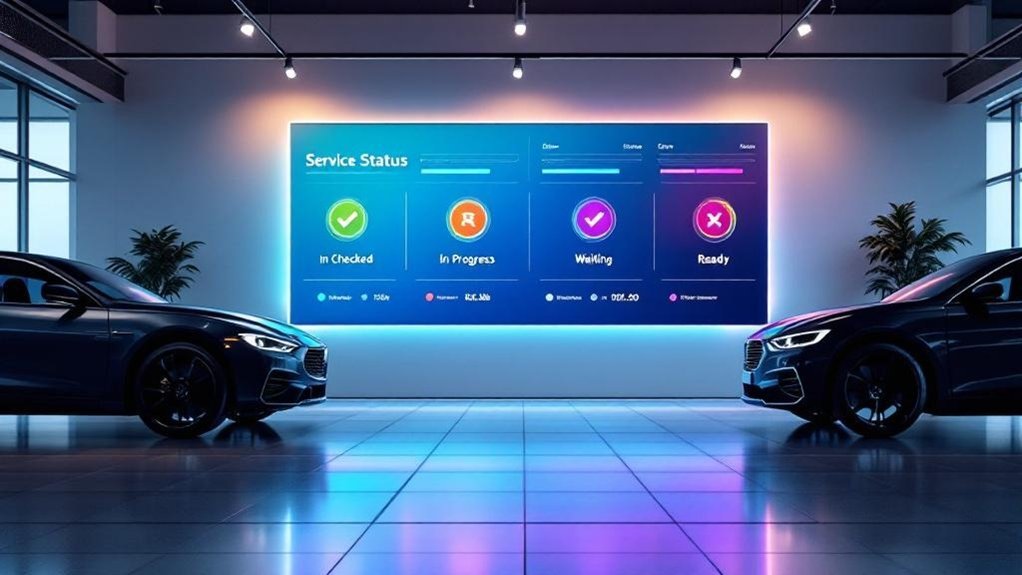
Although your vehicle moves through many steps during service, the digital service menu board keeps you informed by showing each car’s current repair stage in real time—using clear labels like “In Progress,” “Awaiting Parts,” or “Completed,” color-coded for instant recognition. You’ll see automated updates from repair orders so you don’t have to ask, and repair stage comparisons help you understand progression between vehicles. Clear visuals and concise wording reduce uncertainty and invite customer feedback to refine statuses. The board’s process-oriented layout highlights action needed (parts, diagnostics, final check) and completed work. You can plan around visible statuses without needing staff interruption.
| Stage | Meaning |
|---|---|
| In Progress | Technician working |
| Awaiting Parts | On hold |
| Completed | Ready for pickup |
Estimated Completion Time
Wondering when your car will be ready? The Estimated Completion Time (ECT) on the menu board gives you real-time predictions that reduce customer anxiety and increase service transparency. It’s calculated from current job status, technician availability, and historical durations for similar repairs, then pushed instantly to digital signage as progress updates. You’ll see revised ECTs when tasks finish early or encounters delay, so you don’t need to interrupt advisors for basic timing. For staff, a reliable ECT streamlines workflows and cuts unnecessary check-ins, letting technicians focus on work while advisors handle exceptions. Clear ECTs set expectations, boost satisfaction up to 20%, and make your wait predictable without extra effort or guesswork.
Parts Availability Status
When parts availability is shown live on your service menu board, you get immediate clarity on whether needed components are in stock and how long any backorders will take, so you can decide quickly about repairs or alternatives. The board pulls live inventory management and parts sourcing data to show in-stock status, expected arrival dates, and estimated wait times. You’ll see clear visual indicators—available, on-order, delayed—so you can choose repair timing, authorize substitutes, or request loaner options without guesswork. Transparent updates reduce uncertainty, speed decision-making, and increase trust. By linking status to technician schedules and parts arrival, the menu board streamlines workflow, improves communication, and boosts the likelihood of timely, satisfactory service outcomes.
Estimated Completion Times and Progress Tracking
Because you’ll plan your time better when you know what to expect, the service menu should show estimated completion times and live progress updates tied to your repair order. You’ll see clear stages — “In Progress,” “Awaiting Parts,” “Completed” — and timestamps that match repair-order data so customer expectations stay realistic and service transparency is maintained. Real-time updates reduce anxiety and let you decide whether to wait, return, or arrange alternate transport. Integrate progress tracking with notifications and a simple visual timeline to reflect changes immediately.
| Stage | Example |
|---|---|
| In Progress | Technician started work |
| Awaiting Parts | Part ordered, ETA shown |
| Quality Check | Inspection underway |
| Completed | Ready for pickup |
Recommended Additional Services and Pricing Details
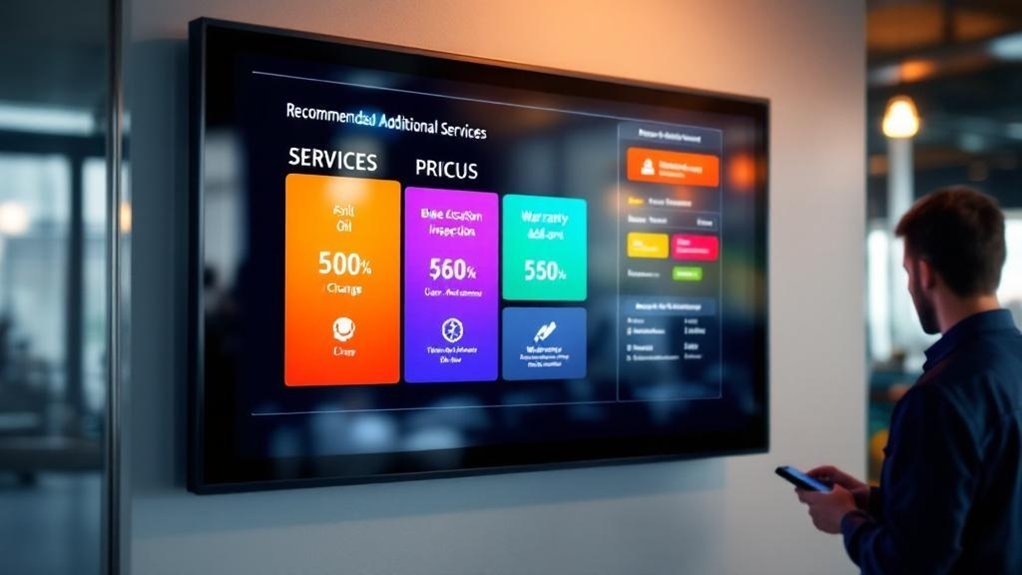
Now that you can see real-time progress and ETA for your repair, the menu should also present recommended additional services—like tire rotations, brake inspections, and fluid checks—with clear prices and brief benefit statements so you can make quick, informed choices. The board lists additional service recommendations with short descriptions, expected maintenance intervals, and the benefit (safety, fuel economy, longevity). It shows itemized pricing, package deals, and any seasonal or loyalty discounts to guarantee pricing transparency. You’ll see service availability and adjusted ETAs so you can decide whether to add work while you wait. The interface prompts one-tap approval, confirms cost changes, and updates the job order and completion time immediately, keeping decisions fast, transparent, and under your control.
Advisor and Technician Information for Personalization
You’ll see the advisor’s name and photo on the board so you know who’s managing your service and can recognize them at pickup. The display should list each technician’s credentials and specialties to build confidence in the work being done. Include direct contact options and an ETA feed so you can reach staff quickly and track progress in real time.
Advisor Name and Photo
A simple photo and name for each service advisor (and their technicians) makes it easy for customers to put a face to the person managing their vehicle, builds immediate trust, and cuts down on status questions so your team can stay productive. You’ll increase advisor engagement and customer trust by showing clear photos, full names, and role labels. That personalization reduces interruptions, boosts satisfaction scores, and creates a welcoming environment that encourages repeat visits.
| Field | Purpose |
|---|---|
| Advisor Photo & Name | Personalize contact, reduce status queries |
| Technician Photo & Name | Enhance accountability, connect customers |
Display photos at a consistent size, update them regularly, and tie each image to live status so customers immediately know who’s responsible.
Technician Credentials Displayed
When customers can see each technician’s name, certifications, specialties, and years of experience, they’ll feel more confident in the care their vehicle’s receiving; display this information alongside the advisor’s details so people can quickly connect names to faces and roles. You’ll use technician expertise and concise background notes to give clear customer reassurance without clutter. Present short bios, key skills, and any awards or top feedback. Update assignments in real time so customers know who’s working on their car.
- Show name, certifications, specialties, years of experience.
- Include advisor link, photo, and current technician assignment.
- Add brief awards or customer-feedback highlights for credibility.
This process-driven display increases transparency, reduces anxiety, and personalizes the service experience.
Direct Contact and ETA
Anyone waiting for service benefits from a clear, at-a-glance advisor and technician panel that shows photos, names, direct contact buttons, and a prominently displayed ETA with real-time status (e.g., “In Progress,” “Awaiting Parts,” “Completed”); this lets you confirm who’s responsible, reach them quickly, and plan around accurate completion times. You’ll see the advisor’s name, photo, and tap-to-call/email controls for direct communication, plus the technician’s photo and brief role note so you know who’s working on your vehicle. The ETA is front-and-center with dynamic updates tied to workflow milestones, supporting your time management. This setup reduces confusion, speeds answers, and lets you make informed choices—reschedule, wait, or arrange alternate transportation—based on live status.
Visual Design Tips for Clear, Engaging Displays
Because customers scan screens quickly, design your service menu board to prioritize readability and instant comprehension: use high-contrast colors and large fonts so text reads from across the lot, group related items like service stages, wait times, and advisor names in a logical layout, and add clear icons for each status to speed visual navigation. Use color psychology to signal urgency or completion, and define a clear font hierarchy so titles, times, and advisor names stand out appropriately. Keep animations subtle to draw attention without distracting. Update content in real time to maintain trust.
- Prioritize contrast, size, and iconography.
- Group related fields and apply consistent font hierarchy.
- Use restrained animations and timely content updates.
Integration With Appointment Scheduling and Payments
You’ll want the menu board to sync appointments in real time with your DMS so customers always see accurate arrival and completion times. Make payment processing seamless by offering on-screen checkout and stored, tokenized card options to speed transactions and reduce lobby time. This combination keeps customers informed, lets them pay securely with minimal steps, and reduces manual admin for your staff.
Real-Time Appointment Syncing
When your dealership ties its digital service menu board to live appointment and payment systems, customers get instant, accurate updates on service times, status changes, and billing—cutting uncertainty and smoothing the entire visit. You’ll improve customer experience by showing real-time appointment syncing, appointment reminders, and status flags so guests always know where they stand. Integration with scheduling systems keeps availability current and reduces double-books.
- Show current appointment time, any delays, and revised estimated start/finish times.
- Push appointment reminders and on-screen confirmations that reflect the scheduling system instantly.
- Display appointment status (checked-in, in-service, ready) to lower anxiety and speed decision-making.
This reduces errors, improves flow, and keeps both staff and customers aligned.
Seamless Payment Processing
If your digital service menu board links payments with scheduling, customers can see prices, pay ahead, and skip long checkout lines—making visits faster and more predictable. You’ll offer clear cost breakdowns at booking, so customers know what to expect and can authorize work before arrival, improving customer convenience and reducing onsite processing. The system accepts credit cards and digital wallets, processing transactions in real time to confirm payments and free up staff. Secure encryption protects data during transmission, maintaining payment security and trust without adding steps for customers. Operationally, integrate payment status into appointment records so service teams see paid jobs, update progress, and release vehicles quickly. The workflow cuts friction, shortens dwell times, and raises satisfaction.
Secure Stored Payment Options
Although storing payment details might sound complex, integrating secure stored payment options into your appointment and payment workflow makes checkout almost invisible: customers can save cards or digital wallets tied to their appointment, authorize work in advance, and complete final settlement with one tap on their phone. You’ll reduce friction and build customer trust by showing encryption status, tokenization, and consent records in the service menu.
- Offer: let customers add and select saved methods (cards, wallets) when booking to enable secure transactions and faster payoffs.
- Notify: provide real-time payment and scheduling updates so customers know when charges occur and work completes.
- Audit: log authorizations and receipts in the menu board for transparency, reducing disputes and manual handling.
Interactive Features to Improve Customer Engagement
Want real-time visibility into your vehicle’s service? You’ll get clear, step-by-step status updates on a touch-enabled menu board so you can track progress, estimated completion, and services performed. Use touch-screen panels to drill into recommendations or view parts and labor details, improving customer interaction and digital engagement. Animated progress bars and concise visuals explain stages without jargon, reducing anxiety during waits. You can leave instant feedback via quick surveys or star ratings to flag issues or praise technicians, feeding continuous improvement. Personalized messages — thank-yous, next-service reminders, and status alerts — keep you informed and build loyalty. The process is simple: tap, review, respond, and receive tailored follow-up based on your inputs.
Promotional Opportunities and Targeted Offers
How can your digital service menu board turn idle wait time into sales opportunities? You’ll use targeted promotional strategies that present limited-time and seasonal promotions, loyalty benefits, and testimonials to motivate upsells. Display personalized offers based on service history and preferences to raise conversion.
- Show limited-time service promotions and seasonal deals in real time to create urgency and schedule add-on work.
- Surface personalized offers and loyalty rewards tied to the customer’s past services to encourage sign-ups and repeat visits.
- Include short testimonials and clear calls-to-action (book now, add service, join program) so customers act while they’re engaged.
Keep creatives simple, rotating, and measurable so staff can follow up and fulfill quickly.
Measuring Impact: Analytics and Customer Feedback
You’ve just learned how targeted promos and personalized offers can turn waiting time into sales — now measure what works. Use analytics to track engagement (400% lift over static), CSI changes (+4%), and inquiry reduction. Capture customer satisfaction via quick touch surveys on the board, then feed results into feedback analysis for continuous improvement. Create routines: collect, analyze, act, repeat. Monitor interactions to spot trend shifts and tailor service options. Share concise dashboards with advisors to cut status calls and speed resolutions.
| Metric | Source | Action |
|---|---|---|
| Engagement | Signage analytics | Increase dynamic content |
| CSI | Periodic surveys | Adjust processes |
| Inquiries | System logs | Reallocate staff |
| Preferences | Feedback analysis | Update offers |
Frequently Asked Questions
Which Information Should Be Clearly Displayed on the Menu Board?
You should display real-time service updates, estimated completion times, pricing/promotions, parts status, customer notifications, interactive service history access, maintenance reminders, and feedback; this keeps customers informed, reduces uncertainty, and streamlines your service process.
How to Set up a Digital Menu Board?
Like a telegram, set up digital signage by choosing screen size/location, installing a CMS, designing clear layouts with visuals, enabling touch interaction, scheduling content, and testing for customer engagement; monitor and update regularly for smooth, focused service.
Are Digital Menu Boards Effective?
Yes — you’ll see higher customer engagement because digital menu boards boost visibility and conversions; they’re process-efficient, reduce costs, and enhance visual appeal, letting you deliver real-time updates, promotions, and clearer service information to customers.
How Can Menus Be Displayed?
Ironically, you shouldn’t hide menus — you’ll show them on large digital signage, split by service stage, interactive touch kiosks, mobile push updates, and printed summaries, all designed for clear customer engagement and efficient, stepwise information flow.
Conclusion
You’ll leave knowing exactly what to expect, like watching your car’s service unfold on a clear roadmap. Use real-time status, ETA, advisor details, and transparent pricing so you’re never left guessing. Tap to schedule, pay, or accept recommended services with confidence. Interactive menus and targeted offers make the wait feel productive, while analytics and feedback keep improvements coming. Follow this process and you’ll get predictable, efficient service that respects your time and trust.