

You need a real-time BDC pipeline board that breaks every lead into New, Working, Set, Show, and Sold so you’re not guessing where deals stall. It gives instant visibility into pipeline health, highlights bottlenecks, and enforces accountability with individual metrics. Use standardized cadences, rapid lead intake, and multi-touch appointment confirmations to boost show rates. Integrate the board with your CRM/DMS for one source of truth and live conversion tracking — keep going to see concrete tactics and metrics you can apply.
Key Takeaways
- Define and update five stages (New, Working, Set, Show, Sold) in real time to visualize pipeline health and stalls.
- Use a standardized contact cadence and CRM logging to move New leads to Working efficiently.
- Track appointment-setting metrics and confirmation scripts to increase Set-to-Show conversion.
- Monitor Show-to-Sold ratios per rep and campaign on live dashboards for targeted coaching.
- Integrate CRM and DMS for a single source of truth, automated status updates, and ownership clarity.
Why a BDC Pipeline Board Matters for Dealership Performance
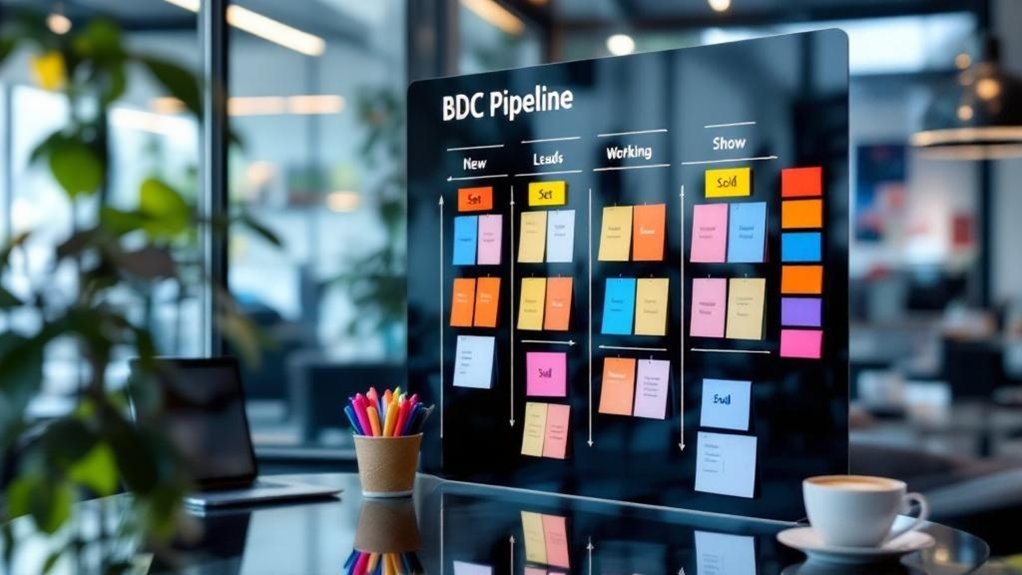
Because a BDC Pipeline Board breaks every lead into clear stages—New Leads, Working, Set, Show, Sold—you get a real-time map of pipeline health and where deals stall. You’ll use that visibility to turn raw sales inquiries into measurable outcomes: tracking counts per stage highlights bottlenecks in the sales process and shows where coaching or staffing is needed. When BDC representatives see individual performance metrics, accountability rises and follow-up becomes systematic rather than guesswork. That precision lets you reallocate resources, prioritize high-opportunity leads, and close gaps that depress lead conversion rates. Over time, faster reaction to stagnating leads improves closure rates and elevates customer satisfaction, proving the BDC Pipeline Board directly impacts dealership revenue and operational efficiency.
Defining Each Pipeline Stage: New, Working, Set, Show, Sold
You’ll start by tracking New Lead Intake to quantify incoming opportunities and prioritize follow-up based on source and lead score. Then you’ll measure Active Follow-Up cadence and conversion rates to optimize outreach that moves prospects to Set appointments. Finally, you’ll analyze Appointment Outcomes — Show vs. No-Show and Sold rates — to pinpoint process losses and boost dealership revenue.
New Lead Intake
A clear New Lead Intake process captures every incoming contact—calls, emails, chats, and web forms—so you can reliably track initial interest and measure funnel velocity from day one; without that standardized capture, leads slip, response metrics blur, and forecasting suffers. You’ll centralize BDC new leads into a single queue so BDC agents see source, timestamp, and priority at a glance. Capture required fields, assign lead scores, and tag channel and campaign to fuel lead generation analytics. Automate acknowledgements and next-step prompts to accelerate appointment scheduling while preserving data for conversion modeling. This intake gate sets the baseline for customer engagement KPIs, reduces leakage between marketing and sales pipeline, and gives you measurable inputs for optimizing response SLAs and staffing.
Active Follow-Up
Start with five clear pipeline stages—New, Working, Set, Show, Sold—to make follow-up measurable and accountable across your BDC. You’ll treat each BDC lead with stage-specific active follow-up: New gets qualification outreach, Working gets cadence-driven nurture, Set gets appointment confirmation reminders, Show gives post-attendance engagement, and Sold closes with onboarding communication. This structure sharpens sales tracking and boosts engagement with potential buyers, driving higher conversion rates.
- New: initial contact to qualify interest and needs, logging customer interactions.
- Working: systematic calls/emails to gather info and progress toward Set.
- Set/Show/Sold: confirmations, in-person engagement, and tracked conversions that prove follow-up ROI.
Appointment Outcomes
Many BDCs will find that defining clear appointment outcomes for each pipeline stage—New, Working, Set, Show, Sold—turns vague activity into measurable signals you can act on. You’ll classify new leads by qualification metrics, move qualified prospects to Working where BDC representatives nurture customer relationships, and mark Set when you’ve secured set appointments. Show confirms attendance and reveals appointment outcomes tied to process effectiveness; Sold captures conversion and revenue impact for the sales team. Use these outcomes to optimize customer interactions, forecast pipeline health, and coach reps.
| Stage | Primary Outcome | Actionable Metric |
|---|---|---|
| New | Qualification started | Contact rate |
| Working | Nurture progress | Engagement score |
| Set | Appointment booked | Show rate |
Best Practices for Managing New and Working Leads
When you update the BDC Pipeline Board in real time and follow a standardized contact cadence—aiming to reach new leads within the first hour—you’ll capture more opportunities and keep lead progression transparent; combine CRM-driven engagement tiers, shared BDC-sales insights, and regular tracking of lead-to-appointment and appointment-to-sale ratios to target outreach, improve conversion, and spot process gaps quickly. You should enforce a strict follow-up schedule, log every customer interactions entry in the CRM system, and classify working leads by engagement for tailored messaging. Align BDC and sales teams for rapid handoffs and context-rich notes so reps are prepared for warmer conversations. Track performance metrics continuously to refine timing and scripts.
- Standardized follow-up schedule
- CRM system engagement tiers
- Shared notes between sales teams
Appointment Setting Strategies to Increase Show Rates

Because 60% of appointment confirmations happen after the third contact, you should use a multi-touch, scripted cadence that combines personalized confirmation templates, offered time slots, and clear incentives to boost show rates; train BDC reps on objection handling and insist on logging each attempt in the CRM so you can measure which messages, times, and offers actually convert into visits. Use a defined follow-up strategy: call, text, email sequence with time-slot prompts and one-click confirmations to reduce friction. Personalize messages to enhance customer experience while citing limited-time incentives to create urgency. Coach BDC reps on concise scripts and rebuttals tied to real outcomes so they persist intelligently. Track response patterns to refine templates and optimize customer interactions that drive higher appointment confirmations for sales or service.
Tracking Conversions From Show to Sold With Real-Time Dashboards
You’ll get live show-to-sold metrics that surface exactly how many showings convert to purchases, so you can quantify performance instantly. The dashboard gives clear conversion-funnel visibility—from Set to Show to Sold—so you can pinpoint drop-off points and prioritize fixes. Real-time deal alerts let you act immediately on high-value opportunities and coach staff where training will most improve close rates.
Live Show-to-Sold Metrics
Real-time show-to-sold dashboards give you immediate visibility into how many vehicle showings actually convert to sales, so you can spot weak points in the funnel and act fast. You’ll use show-to-sold metrics to tie sales and leads to customer data, measure individual performance, and tighten dealership operations to enhance customer experience. Real-time updates let you pivot strategies based on hard numbers, not hunches.
- Monitor individual reps’ conversion rates to target coaching and lift performance.
- Compare show-to-sold ratios across models, times, and campaigns to optimize lead allocation.
- Set live thresholds and alerts so you capitalize on conversion opportunities immediately.
These dashboards drive accountability, faster decisions, and measurable improvements in close rates.
Conversion Funnel Visibility
Visibility is power: the BDC Pipeline Board maps every lead from New to Sold so you can see exactly how many showings convert and where deals stall. You get instant, data-driven clarity on conversion rates between Show and Sold via real-time dashboards, so you can spot dips and act. Track leads and customer interactions to pinpoint bottlenecks in follow-up processes, then test targeted adjustments to lift sales performance. Set stage-specific goals on the BDC Pipeline Board to drive accountability and healthy competition among teams. With continuous visibility you’ll measure which tactics move the needle, optimize handoffs, and improve conversion rates consistently—turning more showroom visits into closed deals while maintaining concise, measurable control of your pipeline.
Real-Time Deal Alerts
Now that you can see where leads stall, real-time deal alerts keep you immediately informed when a Show becomes a Sold so you can act at the moment that matters. You’ll use the BDC Pipeline Board and real-time dashboards to monitor conversion metrics, watch leads generated, and trigger immediate follow-up actions. These alerts turn passive reporting into proactive selling, improving closing ratios with minimal delay.
- Instant push or dashboard notifications when a Show converts to Sold, enabling timely follow-up actions.
- Aggregated conversion metrics and leads generated summaries for trend spotting and resource reallocation.
- Data-driven insights that show which stages need attention and how adjustments affect closing ratios.
You’ll make faster, measured decisions and raise conversions through focused, measurable steps.
Integrating BDC Pipeline Boards With DMS, CRM, and Digital Signage
Because your DMS and CRM hold the transactional truth and your digital signage drives team behavior, integrating them with the BDC Pipeline Board creates a single source of live truth that tracks each lead from New to Sold and pushes automated updates across systems. You’ll get real-time visibility of lead status across BDC Pipeline Boards, DMS, and CRM, reducing data latency and manual entry. Automated syncs guarantee any status change propagates instantly to digital signage, motivating reps with live metrics tied to sales goals. Integration improves lead management by clarifying ownership, speeding follow-ups, and surfacing bottlenecks. Implemented correctly, this stack drives accountability, measurable conversion uplifts, and predictable pipeline velocity, letting you manage performance with data, not guesswork.
Frequently Asked Questions
How Many Leads Should a BDC Rep Handle?
You should handle about 175–225 leads monthly, balancing BDC rep workload with lead prioritization methods. Use lead management strategies, effective communication skills, sales conversion techniques, customer follow up processes, and performance tracking tools to optimize results.
What Is BDC Internet Sales?
Want better results? BDC internet sales means you’re converting internet inquiries into customers using BDC strategies: personalized follow up techniques, optimized sales funnel steps, strong customer engagement, tracked lead conversion, and data-driven performance metrics to boost ROI.
How to Start a BDC Department?
You’ll start a BDC department by defining BDC department structure, hiring BDC team roles, implementing BDC training programs, selecting BDC software tools, tracking BDC performance metrics, driving BDC lead generation, and optimizing BDC customer engagement continuously.
What Does BDC Job Mean?
A BDC job means you manage BDC role responsibilities: driving BDC lead generation, handling BDC customer interaction, applying BDC sales strategies, tracking BDC performance metrics, collaborating on BDC team dynamics, and leveraging BDC technology tools to boost conversions.
Conclusion
You’re now set to treat the BDC pipeline board as your north star — it drives accountability, shortens lead response times, and boosts showroom conversions. By tracking New, Working, Set, Show, and Sold with integrated DMS/CRM feeds and live dashboards, you’ll spot bottlenecks fast and move metrics needle-by-needle. Nail appointment-setting and follow-up, and you’ll turn more conversations into closings. In short, do the little things right and the big wins follow.