

You need end-of-day recaps and real-time deal notifications that lock in next steps, surface risks, and boost follow-up rates. Use concise daily recaps that quantify calls, meetings, wins/losses, stage changes, blockers and owners so you can act within 48 hours. Automate alerts for stage shifts, intent scores and missed SLAs, and route high-priority digests to the right role to prevent noise. Keep summaries numeric, time-stamped and actionable — continue for practical templates and metrics to measure impact.
Key Takeaways
- Send concise end-of-day recaps capturing calls, meetings, deals closed/lost, next steps, and blockers for team alignment.
- Automate configurable deal notifications by stage, intent score, owner, and close-date to prompt timely action.
- Tailor recaps by role: SDRs get activity timing, AEs get deal context, managers get performance snapshots for coaching.
- Integrate alerts with messaging tools (Slack/Teams) and define escalation paths to avoid missed follow-ups.
- Measure impact with response speed, follow-up rate, deal probability delta, and quota attainment improvements.
Why End-of-Day Recaps Matter for Sales Teams

When you wrap the day with a short, structured recap, you consolidate wins and flag blockers so the whole team stays aligned on progress toward targets. You’ll use end-of-day recaps to capture achievements, next steps, and stalled opportunities so sales teams can act fast. Send concise summaries daily to reinforce accountability and let reps track performance trends over time. Data shows structured recaps boost task completion rates by 20%, so you’ll see productivity gains when everyone updates status consistently. Clear recaps reduce miscommunication and prevent leads from slipping through the cracks, helping you prioritize follow-ups based on up-to-date deal statuses. Keep entries focused and timely so the team can stay organized and drive predictable pipeline momentum.
Key Elements to Include in a Daily Sales Recap
Because daily recaps are meant to drive fast, measurable action, include a concise snapshot of total sales—calls, meetings, deals closed or lost—with standout wins called out and any gaps quantified against daily/weekly targets. You should also slice activity by time of day to spot peak windows and adjust staffing. Track individual performance so team members see where they stand versus targets; this supports coaching within sales management. Add customer interaction insights to explain outcomes and surface follow-ups. Close with clear next steps and ownership.
| Metric | Today | Target |
|---|---|---|
| Calls/Meetings | 48 | 60 |
| Deals Closed/Lost | 5/2 | 8/0 |
| Top Follow-ups | 3 | — |
Best Practices for Automating Deal Notifications

A focused automation strategy makes sure your team hears about new opportunities and status changes the moment they matter, which is critical given that 30–50% of deals go to the seller who responds first. Set configurable deal notifications by stage, intent score, and owner so sales reps only get relevant alerts. Integrate Salesforce Alerts with messaging platforms via tools like Rattle to push updates into Slack or Teams, cutting context switches. Use automated reminders for approaching close dates and overdue tasks to keep momentum and shorten cycles. Define escalation paths for ignored alerts and track open rates and response times to measure impact. Regularly audit rules to prevent noise, and iterate thresholds based on conversion lift and rep feedback.
How to Tailor Recaps for SDRs, AEs, and Managers
Tailor recaps so SDRs get timing- and metric-focused alerts (new leads, missed SLAs, percent followed up within an hour) to drive immediate action. Give AEs concise deal-context summaries (opportunity assignments, intent score shifts, overdue close dates) so they can prioritize high-value work. For managers, deliver performance snapshots that highlight won deals, lost-deal insights, and pending approvals to inform coaching and resource decisions.
Sdr-Focused Timing and Metrics
Start your SDR-focused end-of-day recap with clear, time-sensitive metrics so you can act on the hottest leads first—remember that 30–50% of deals go to the seller who responds first. You’ll include lead response time, number of follow-up attempts, and next-step deadlines so you can prioritize immediate outreach. Tie each metric to sales processes, lead management, and team performance to keep activity aligned with SLAs. Flag missed follow-ups and use Salesforce Alerts to prompt corrective action before morning. For managers, provide a concise aggregation of SLA compliance and outlier reps so coaching is targeted. Keep recaps short, numeric, and actionable: what to do next, who’s owning it, and the time window for the follow-up.
AE Deal Context Summaries
Now shift focus from SDR timing metrics to the AE-level deal context that helps close opportunities: give SDRs just enough concise lead facts and next steps to keep momentum, equip AEs with prospect needs, objections, and prior solution discussions plus deal size and projected close date, and provide managers with a one-line status of team performance and any missed SLAs. For AE deal context summaries, deliver crisp, prioritized facts: decision criteria, budget range, stakeholder map, recent touchpoints, objection history, and personalized notes that aid rapport. Include numeric deal size and projected close date to drive urgency. Flag missed SLAs or follow-up gaps for immediate remediation. Tailor output formats for SDRs, AEs, and sales managers so each role gets actionable, data-driven intel that aligns with customer success goals.
Manager-Level Performance Snapshots
Because managers need a single, actionable view of team health, your manager-level performance snapshot should compress key metrics, missed SLAs, and morale signals into a one-line summary plus role-specific digests—SDRs get lead-response and new-conversion trends (highlighting the 30–50% advantage for early responders), AEs see opportunity progress with intent-score shifts, deal size, and projected close dates, and managers receive totals for closed/lost deals, won-opportunity alerts, and any follow-up gaps that require coaching. Use a compact, data-first layout and include team morale indicators alongside sales pipeline status to prioritize interventions.
| Metric | Action |
|---|---|
| SDRs: response & conversions | Flag leads needing follow-up |
| AEs: intent & close dates | Escalate at-risk opportunities |
Timing and Frequency: When to Send Recaps and Alerts
When you’re aiming for maximum impact, send end-of-day recaps within an hour after the workday ends and push high-priority alerts in real time — research shows timely notifications can lift win rates by 30–50%. You should prioritize timing, alerts, recaps so the team acts while context is fresh. Real-time alerts for deal changes and SLA misses drive responsiveness; daily high-priority summaries prevent noise. Send recap emails within 24 hours after meetings to lock in next steps.
- Real-time alerts for deal movement and overdue actions.
- End-of-day recaps within 60 minutes to align strategy.
- Daily high-priority digests to reduce alert fatigue.
- Meeting follow-up recaps within 24 hours to advance deals.
Measure open rates, response time, and win-rate impact.
Tools and Integrations That Streamline Recaps and Notifications
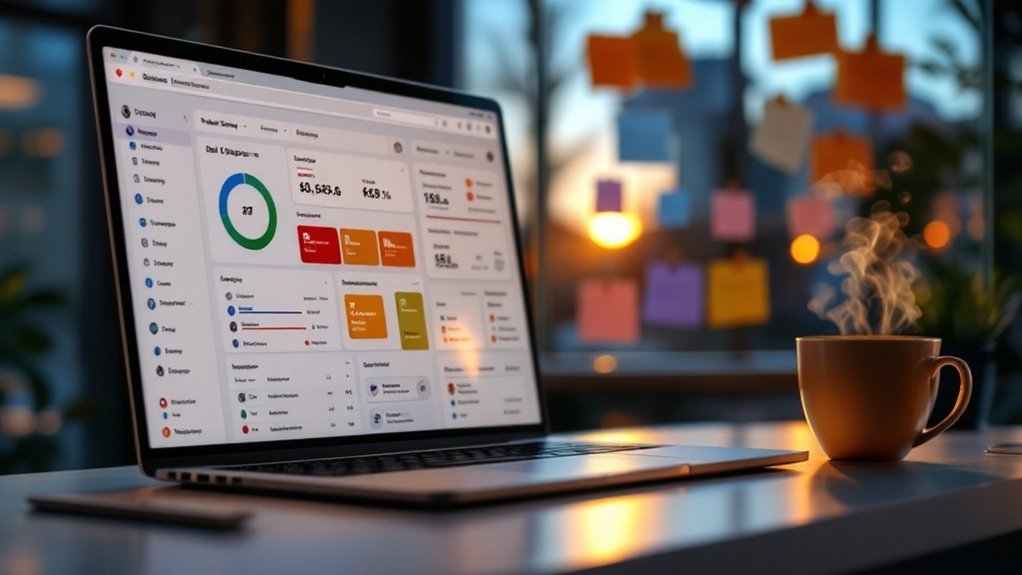
If you want recaps and alerts to actually change behavior, pick tools that automate key signals—like Salesforce Alerts or Alerts4Dynamics—and integrate them with the apps your team uses (Slack, Teams) so real-time deal movements and SLA misses hit the right inboxes immediately; automated end-of-day reports and customizable milestone alerts cut manual work, increase response speed, and make it measurable (track open rates, response time, and win-rate lift). You’ll use automation tools to push concise summaries, set custom alerts for opportunity stages or SLA breaches, and feed structured data into dashboards. Pair those flows with recap email templates for consistency. Below is a simple view of integrations and outcomes.
| Integration | Outcome |
|---|---|
| Slack/Teams | Faster responses |
| CRM Alerts | Reduced manual tracking |
| Templates | Consistent follow-up |
Writing Clear, Actionable Recap Emails and Messages
Although a good meeting can spark momentum, a clear, actionable recap is what keeps it moving — spend about 10 minutes to thank the prospect, restate their goals and challenges, summarize the solutions you discussed, and call out the agreed next steps and meeting time so nothing slips. You’ll use recap emails to reinforce value, reduce ghosting, and manage sales momentum. Be concise, quantifiable, and directive.
- Thank the prospect and cite 1–2 prioritized goals.
- List core challenges and the specific solutions you proposed.
- State unique value propositions and measurable benefits.
- Confirm next steps with owner, deadline, and next meeting date/time.
Send consistently; each 10-minute recap increases conversion odds and positions you as a trusted advisor.
Using Recaps to Improve Pipeline Health and Forecasting

You’ve already seen how a timely recap locks in next steps and reduces ghosting; now use those same 10-minute summaries to keep your pipeline honest and your forecast accurate. Use end-of-day recaps to log deal stages, risks, and committed next steps so stalled opportunities are visible daily. Require concise status fields (stage, prob., blockers, owner) so you can filter and flag declines in pipeline health quickly. Feed recap data into your weekly forecasting workflow to raise forecasting accuracy: adjust probabilities, reallocate resources, and prioritize intervention on at-risk deals. Recaps also create accountability across sales teams, making follow-up measurable and accelerating remediation. Act on the data within 48 hours to prevent slippage and maintain a reliable, up-to-date forecast.
Measuring the Impact of Recaps and Deal Alerts
When you measure recaps and deal alerts, you turn routine updates into hard metrics you can act on—track response speed, follow-up frequency, and changes in deal probability to see real impact. You’ll quantify how recap emails and deal alerts boost quota attainment (organizations report 23% gains) and shorten time-to-response (30–50% of wins go to the first responder). Focus on automation metrics that free reps for selling and increase productivity up to 46%. Measure reductions in ghosting and improvements in follow-through to prove ROI.
Turn recaps and deal alerts into measurable wins—faster responses, higher quota attainment, and reclaimed selling time.
- Response time — median seconds/minutes to first contact
- Follow-up rate — touches per opportunity
- Deal probability delta — pre/post alert
- Productivity lift — administrative time reclaimed
Scaling Recap Workflows Across Distributed Sales Teams

You should standardize recap templates so every rep captures the same KPIs and next actions, which research shows can boost productivity by ~30%. Automate cross-timezone delivery to guarantee timely, local summaries without manual handoffs. Centralize data sources so you can generate consistent, actionable reports and cut time spent hunting information.
Standardize Recap Templates
Because distributed teams need predictable handoffs, standardizing recap templates makes post-meeting communication faster, clearer, and more accountable—cutting recap time by up to 50%, boosting follow-up engagement ~30%, and making onboarding far simpler for new reps. You’ll standardize templates to enforce consistent Sales language, required fields, and action-item ownership so every recap drives next steps. Use data to iterate on layout and required fields, and train reps to copy-paste then personalize.
- Define mandatory sections: attendees, agenda, decisions, next steps.
- Require owner + due date for each action to increase accountability.
- Measure template adoption and follow-up rates weekly to optimize.
- Include a short checklist for new hires to speed onboarding.
This approach reduces variability, raises professionalism, and increases conversion momentum.
Automate Cross-Timezone Delivery
Standardized templates get everyone speaking the same language, but they’re only as effective as the timing of delivery — automate cross-timezone delivery so recaps land when recipients are most likely to act. You’ll schedule recap workflows using automation tools (Salesforce Alerts or equivalents) to send notifications at local business hours, eliminating manual sends and missed windows. Use cloud platforms so teams access recaps and deal details from any device, keeping remote reps productive. Integrate with your CRM and messaging apps to route summaries to the right people automatically. Data shows automated recaps boost response rates ~20%, so prioritize time-zone rules, retry logic, and delivery metrics. Track engagement and iterate schedules to continuously improve notification relevance and timing.
Centralize Data Sources
When teams tap a single, centralized platform for deal notifications and end-of-day recaps, they get real-time visibility across regions and can act on the same data instantly; that unified source cuts manual updates, surfaces cross-region trends, and makes it easier to standardize workflows so performance and accountability scale. You’ll centralize data sources to streamline your sales ops, reduce status meetings, and speed decisions. Centralization supports a 23% lift in quota attainment by making insights actionable and consistent for managing sales across time zones. Implement standardized recap templates and access controls so metrics are comparable. Focus on automation, cleansing, and role-based views to keep data reliable.
- Real-time dashboards
- Standardized recap templates
- Automated notifications
- Role-based access controls
Frequently Asked Questions
Is There an App That Tells You When a Product Goes on Sale?
Yes — you can use sale tracking apps that send price drop notifications and shopping deal alerts; they monitor products across retailers, trigger alerts when thresholds’re met, and commonly help users save roughly 20–30% by buying during discounts.
How Do I Set a Google Alert for a Sale?
Go to Google Alerts, enter sale keywords, set frequency and sources, expand “Show Options,” and save. Use sale tracking tips, promotional alerts setup, and deal notification strategies to refine keywords and optimize real-time, data-driven notifications.
How to End a Sales Meeting?
You end a sales meeting by using sales meeting closure best practices: deliver an effective summary techniques recap, confirm decisions with data, assign action item assignment and owners, set deadlines, invite questions, and thank attendees for their time.
Which Type of App Is Best Suited for Tracking Sales and Generating Totals From Those Sales?
Contrasting simplicity with power, you’ll want Sales Tracking Tools that double as Sales Analytics Software and Commission Calculation Apps; they’ll automate totals, surface trends, and calculate pay, so you can act fast, coach better, and hit quotas.
Conclusion
Think of your recap as a ship’s log: brief, precise entries that keep the crew aligned and the voyage on course. You’ll use key metrics as the compass, automate alerts as the lookout, and tailor signals for each role so nobody misses a wave. By measuring outcomes and iterating, you’ll steer deals toward predictable ports of close. Commit to this routine, and your pipeline will stop drifting and start delivering.