

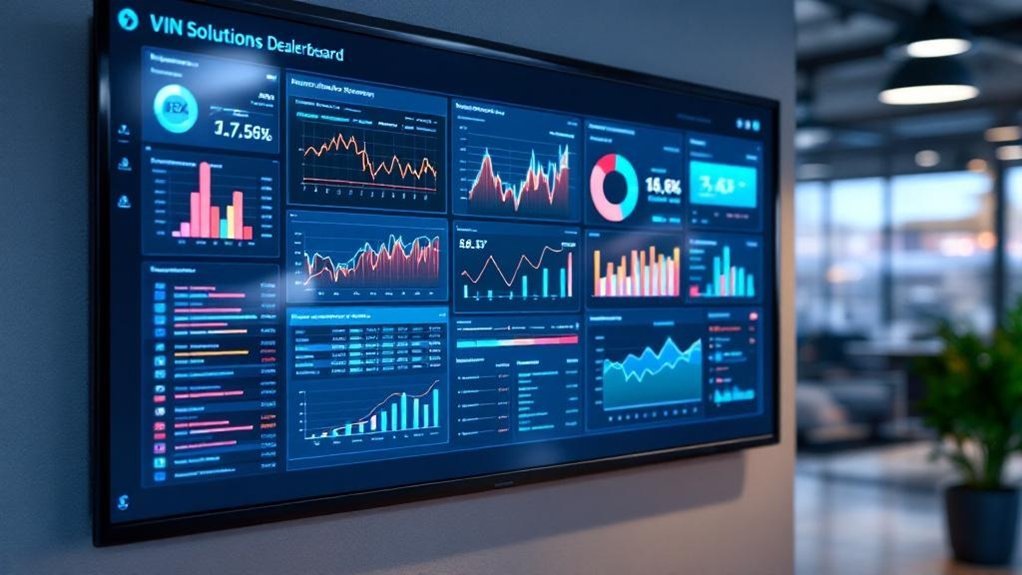
You’ll get real-time visibility when VIN Solutions and DealerSocket BDC stream to your wallboard, letting you track lead response times, appointment rates, and rep performance by source. Data syncs every few minutes to preserve timestamps and routing rules, so KPIs like time-to-contact, appointment conversion, and live lead volume stay accurate. Automated alerts route hot prospects and flag coaching needs, tying follow-up cadence to conversion lifts — keep going to see how to configure metrics and measure ROI.
Key Takeaways
- Sync VinSolutions and DealerSocket BDC every few minutes to ensure accurate, timestamped KPIs on the wallboard.
- Map lead fields and routing rules so source, priority, and response targets display correctly in real time.
- Show live KPIs: lead volume, time-to-contact, appointment conversion rate, and individual rep performance.
- Use automated alerts and prioritized routing to surface hot leads and reduce seconds-to-contact.
- Track wallboard-driven ROI by linking response-time improvements to incremental appointments and closed deals.
Why Wallboards Matter for Dealership Performance

When you’ve got realtime wallboards tied to VinSolutions or DealerSocket, you can see the exact metrics that move the needle—lead response times, appointment rates, call-to-contact ratios—so managers spot trends and intervene before performance slips. You’ll monitor KPIs that make accountability tangible for every sales team member, and the performance manager can set thresholds that trigger coaching or recognition. Those dashboards create immediate visibility into backlog, response lag, and conversion funnels, so you prioritize tasks that impact customer satisfaction and closing rates. By fostering measured competition and aligning daily targets, wallboards streamline communication and reduce missed opportunities. Updated continuously, they let you respond to leads faster, improve appointment yield, and lift overall dealership throughput.
How VIN Solutions Integrates With Dealersocket BDC
You’ll want to confirm the data sync frequency between VIN Solutions and DealerSocket BDC so timestamps and KPI calculations stay accurate across systems. Make sure lead routing rules are configured to preserve source attribution and response-time targets, since those directly impact conversion and follow-up metrics. Finally, map wallboard KPIs to the shared fields so managers can monitor lead status, contact rates, and conversion percentages in real time.
Data Sync Frequency
Although it runs in the background, VIN Solutions’ integration with Dealersocket BDC is configured to sync every few minutes so you and your team always see near-real-time customer interactions; that frequent cadence guarantees lead statuses, timestamps, and communication logs are current for accurate response-time and appointment-setting metrics. With automated data synchronization, you can monitor performance metrics like average lead response time, contact attempts per lead, and appointment conversion rates without manual updates. That near-real-time feed reduces information lag, tightens SLA compliance, and lets you prioritize outreach based on freshest activity. Reporting pulls from the synced dataset so dashboards reflect recent trends, helping you identify bottlenecks, measure agent productivity, and refine follow-up cadence to improve customer conversion and overall operational efficiency.
Lead Routing Rules
With synced lead data feeding near-real-time dashboards, lead routing rules determine which prospects get immediate attention and which can wait—so your team hits SLA targets and maximizes appointment-setting rates. You configure VIN Solutions and Dealersocket BDC to prioritize by source, vehicle intent, and response time thresholds, ensuring high-value sales opportunities go to top performers within seconds. Automated distribution cuts manual handoffs, reducing follow-up lag and raising contact rates; real-time status updates let you measure time-to-contact and conversion by cohort. Use combined reporting to A/B test routing criteria, monitor appointment rates, and adjust thresholds to sustain KPI targets. The result: streamlined communication, higher appointment yields, and measurable improvements in pipeline velocity without adding headcount.
Wallboard KPI Mapping
One clear advantage of the VIN Solutions–Dealersocket BDC integration is that it pushes critical KPIs—like lead response time, appointment set rate, and time-to-contact—directly to customizable wallboards so your team can act on live metrics. You’ll use KPI mapping to assign each metric to visual widgets, prioritizing the indicators that drive revenue and customer satisfaction. The integration automates data flow, so wallboards reflect real-time changes and reduce manual reporting. You can customize views by role, shift, or campaign to sharpen accountability and performance monitoring. In-depth trend reports let you analyze response patterns, spot bottlenecks, and set concrete improvement targets. That alignment guarantees every team member sees the same measurable goals and can make faster, data-driven decisions.
Key Metrics to Display on Your Wallboard
You’ll want Live Lead Volume prominently visible so you can instantly judge incoming demand and adjust staffing. Track Appointment Conversion Rate next to it to measure how effectively leads are being turned into real opportunities. Finally, show BDC Response Time so you can hold the team accountable for speed-to-contact and improve customer experience.
Live Lead Volume
Start by showing real-time live lead volume so your team can see exactly how many prospects are entering the funnel at any moment and react quickly. You’ll display total leads generated, current lead source breakdown, average response time, and follow-up attempt counts so managers can assess engagement and optimize channels. Present live lead volume alongside team performance metrics to spotlight who’s hitting targets and who needs coaching. Prioritize response-time thresholds and follow-up frequency as actionable KPIs; if response exceeds your target, trigger coaching or redistribute leads. Use the wallboard to surface high-performing sources so you can reallocate budget and increase ROI. Keep visuals focused, update continuously, and guarantee every data point ties back to customer responsiveness and conversion opportunity.
Appointment Conversion Rate
Track appointment conversion rate as the percentage of scheduled appointments that turn into vehicle sales so you can quantify sales effectiveness and pinpoint where prospects drop off. You’ll monitor this KPI on your wallboard to see if performance meets the >20% benchmark and to spot downward trends early. Pull CRM data from VIN Solutions or DealerSocket to calculate rolling conversion rates by day, week and rep, then segment by lead source and vehicle type. Use those insights to coach sales managers and frontline staff on closing techniques and follow-up cadence. Display comparisons against industry standards so you can set realistic targets, measure improvement after interventions, and keep the customer experience consistent from appointment to purchase.
BDC Response Time
Because first contact timing so strongly impacts conversion, you should put BDC response time front and center on your wallboard, showing average seconds-to-contact plus the percent of leads reached within target windows (e.g., ≤5 min, ≤10 min). You’ll display average response time and the percent of leads contacted within those windows, with a benchmark goal of 90% ≤10 minutes and a highlighted metric for ≤5 minutes given its 10x conversion lift. Break metrics down by channel—phone, email, text—to reveal bottlenecks and adjust staffing or templates. Use real-time thresholds and color-coded alerts to drive immediate corrective action. Monitoring these KPIs improves accountability, optimizes workflow, and measurably enhances customer experience and conversion outcomes.
Real-Time Lead Response and Appointment Tracking
When you respond to a lead within the first five minutes, you can more than double your chances of booking an appointment, so dealerships that use VIN Solutions or DealerSocket BDC reporting to monitor real-time response times and appointment metrics gain a clear competitive edge. You’ll track lead response and appointment tracking metrics continuously, measuring response time distribution, conversion rates, and individual rep performance. That data lets you pinpoint bottlenecks—slow follow-ups, low-converting channels—and take targeted coaching or process changes. Displaying these KPIs on wallboards fuels accountability and healthy competition, while real-time alerts guarantee hot prospects aren’t missed. By tying response-time targets to appointment conversion goals, you’ll optimize staffing, refine scripts, and improve customer experience, keeping you agile in a fast-moving market.
Configuring Wallboards for Sales and BDC Teams

You’ll configure wallboards to display real-time KPIs—lead follow-up rates, appointment setting success, and sales conversions—so teams see performance against targets at a glance. Automated lead alerts will route hot leads to the right reps immediately, shortening response time and increasing contact rates. Use data from VinSolutions and DealerSocket to set threshold triggers and measure lift in key metrics so you can iterate configurations based on customer-response patterns.
Real-time KPI Display
Configuring wallboards gives your Sales and BDC teams a live, metrics-driven snapshot of performance—appointment rate, follow-up speed, contact-to-sale conversion and rank—so agents can act on gaps the moment they appear. You’ll use real-time KPI displays to surface appointment rates, average follow-up time, and contact-to-sale conversion, tying each metric to customer outcomes. Customizable widgets show performance benchmarks next to current values so you can prioritize coaching. Displayed rankings foster accountability and friendly competition while CRM-integrated timestamps prove adherence to SLAs. Below is a compact reference table for core widgets and targets.
| Widget | Metric | Target |
|---|---|---|
| Follow-up | Avg minutes to contact | 15 |
| Conversion | Contact-to-sale % | 12 |
Automated Lead Alerts
Set up automated lead alerts on your wallboard to guarantee sales and BDC teams are notified the moment a high-value prospect engages, with notifications tied to specific KPIs like lead response time, lead score threshold, and source channel. You’ll configure alerts to prioritize automotive sales inquiries by score and channel, routing notifications to the right reps to reduce mean response time to under your target (for example, 5 minutes). Integrate VinSolutions and Dealersocket so alerts use unified data, improving accuracy and lowering missed opportunities from potential customers. Display conversion-rate trends and individual response metrics, and adjust thresholds quarterly based on performance. Use team-level and individual alerts to drive accountability, healthy competition, and measurable improvement in lead-to-sale conversion.
Driving Accountability With Visual Performance Indicators
A single glance at a wallboard that pulls live VIN Solutions and DealerSocket BDC reporting can tell you which reps are hitting follow-up targets, which appointments convert, and where pipeline leakage is costing deals. You’ll rely on visual performance indicators to track lead follow-up rates, appointment-setting success, and conversion percentages in real time, so you can spot trends and act immediately. With transparent metrics displayed, accountability becomes behavioral: top performers are recognized, underachievers get targeted coaching, and daily goals stay visible. Regular updates keep the team aligned to customer-response SLAs and conversion targets, improving engagement and motivation. That data-driven visibility guarantees coaching is timely, objective, and focused on closing measurable gaps.
Using CRM Data to Prioritize In-Market Shoppers
Wallboards that expose follow-up rates and conversion gaps also point you to where CRM data can be used to prioritize in-market shoppers: by flagging Buying Signals and engagement patterns, your team can focus on leads most likely to purchase. Use CRM data to score leads by recent site behavior, contact recency, and expressed intent; set thresholds so the top 20% of leads receive immediate outreach. Aim for customer contact capture ≥90% to maximize reach and funnel accuracy. Monitor response-to-appointment ratios and conversion velocity weekly to validate scoring. Real-time CRM insights should shorten time-to-contact and increase appointment show rates. Regularly review campaign performance in CRM to reallocate resources toward the highest-performing segments of in-market shoppers.
Automating Alerts and Workflow From Wallboard Insights
When real-time wallboard insights are tied to automated alerts and workflows, you’ll get immediate, measurable actions—notifications for low contact rates, auto-assigned follow-up tasks, and escalation rules that close gaps within defined SLA windows. You’ll use automating alerts to push critical KPI variance to the right staff, reducing detection-to-action time from hours to minutes. Workflow automation assigns leads based on score, availability, and territory, ensuring 100% follow-up coverage and preserving contact-rate targets. Integrated with your CRM, alerts are contextualized—customer history, lead source, and priority—so tasks are relevant and measurable. This drives accountability via logged tasks and timestamped escalations, improving response SLAs, lifting contact rates, and increasing conversion while keeping customer experience consistent.
Coaching Opportunities Revealed by Wallboard Reporting

Because you can see live KPIs like contact rate, response time, and appointment conversion on the wallboard, you’ll spot coaching opportunities the moment performance drifts—letting you target reps who need help with follow-up cadence, scripting, or appointment-setting tactics before issues compound. You’ll use wallboard performance metrics to quantify gaps: low contact rates signal outreach technique coaching, slow response times indicate workflow or alert mismanagement, and weak appointment conversion points to scripting or objection-handling training. Track trends to prioritize one-on-one sessions, role-play scenarios, or micro-training modules. Assign measurable goals and monitor improvement on the same dashboard so coaching impacts are transparent. This data-driven approach keeps customer experience consistent while building individual accountability and continuous improvement.
Measuring ROI: From Wallboard Visibility to Closed Deals
Coaching snapshots on the wallboard naturally lead to a question every manager asks: how does that visibility convert into revenue? You’ll quantify wallboard visibility by linking KPIs—lead response time, appointment-setting rate, follow-up counts—to conversion and closed-deal metrics drawn from Vin Solutions and Dealersocket. Track trends in customer engagement, attribute conversions to specific touches, and calculate incremental sales per percentage improvement in response time. Use per-agent dashboards to isolate coaching impact, then aggregate to show dealership-level productivity gains. Regular analysis confirms which process changes yield higher close rates, letting you prioritize actions that move the needle. Measuring ROI becomes a repeatable cycle: monitor real-time, test interventions, and convert visibility into verifiable revenue uplift.
Frequently Asked Questions
How Does Vinsolutions Work With Dealerships?
You use VinSolutions to centralize dealership communication and boost customer engagement; it captures contact data, scores leads, automates personalized campaigns, tracks KPIs like contact rates and conversion percentages, and streamlines desking for faster closes.
Is VIN Solutions Part of Cox Automotive?
Yes — you’re handed a calibrated compass: Vin Solutions is part of Cox Automotive, letting you track engagement, measure conversion rates precisely, and optimize customer journeys with data-driven tools, KPIs, and continuous performance-focused enhancements.
What Are VIN Solutions Used For?
You use VIN Solutions to centralize inventory management and boost customer engagement, tracking lead conversion rates, response times, and campaign ROI; it helps optimize sales workflows, personalize outreach, and measure performance with actionable, metrics-driven insights.
Is Vinsolutions Easy to Use?
Yes — like a well-oiled machine, you’ll find the user experience intuitive and the user interface clean; it boosts task completion rates, shortens onboarding time, and delivers measurable, customer-focused efficiency improvements for your sales team.
Conclusion
You’re now set to turn wallboard visibility into measurable showroom wins. With VIN Solutions feeding Dealersocket BDC data, you’ll track response times, appointments, and conversion rates in real time—helping teams act on the 60% of in-market shoppers who contact multiple dealerships before buying. Use these metrics to prioritize leads, automate alerts, and coach reps. When you focus on timely responses and KPI-driven coaching, that wallboard insight converts directly into higher close rates and ROI.