

You’ll get a single pane showing live GSM metrics fused with DMS KPIs so you can spot demand shifts, manage inventory, and close revenue gaps instantly. It consolidates sales velocity, inventory turnover, cash and receivables, and customer engagement into actionable visualizations. API connectors keep feeds synced and validated, while thresholds trigger automated workflows and alerts. Role-based access and encryption protect data across locations. Continue for implementation details and ROI measurement to operationalize this capability.
Key Takeaways
- Integrate live GSM feeds with your DMS via authenticated API connectors to unify real-time sales, inventory, and service metrics.
- Focus the dashboard on 5–8 core KPIs (sales velocity, inventory turnover, cash liquidity, DSO, AR/AP) for quick decision-making.
- Normalize, timestamp, and validate incoming data with automated quality checks to ensure synchronization and accuracy.
- Configure tiered alerts with hysteresis, escalation paths, and automated remediation workflows to minimize noise and speed responses.
- Secure access with RBAC, encryption, audit logs, and compliance controls, and measure ROI using single/multi-touch attribution models.
What a Real-Time GSM Dashboard Delivers for Dealer Networks
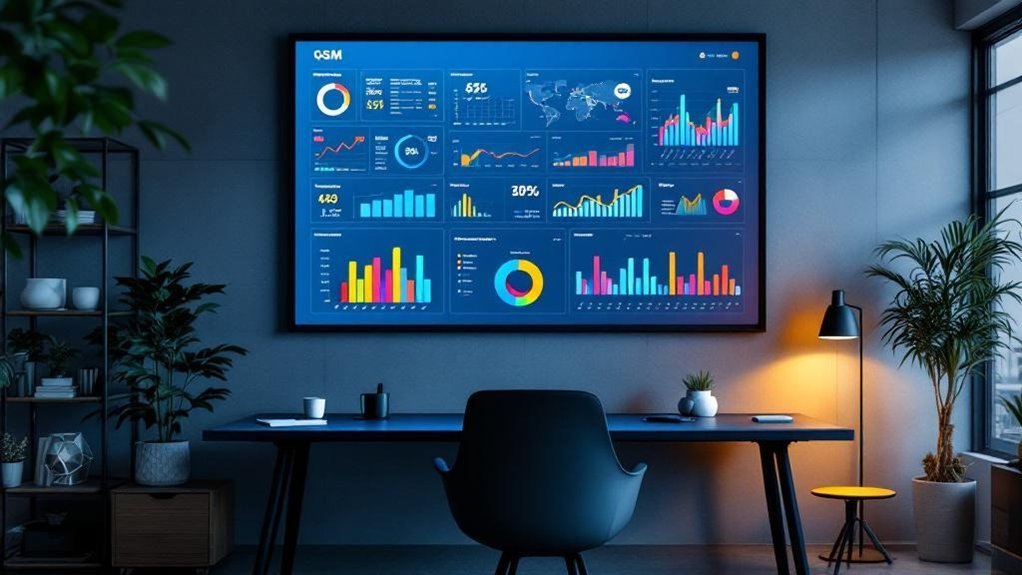
When you need instant, actionable insight across a dealer network, a real-time GSM dashboard delivers consolidated KPIs—sales revenue, inventory levels, customer engagement—directly from integrated DMS sources so you can monitor performance, spot trends, and intervene quickly. You’ll get real-time insights that unify transactional and operational data into concise visualizations, enabling rapid anomaly detection and trend analysis. Customizable KPI summaries let you prioritize cash flow, vehicle turnover, or engagement metrics per location. Seamless DMS integration reduces latency and reconciliation work, so decisions are based on authoritative data. Interactive features support cross-functional collaboration, forcing alignment between sales, inventory, and service teams. The result: faster corrective actions, improved forecasting accuracy, and measurable uplift in network-wide operational efficiency.
Key DMS KPIs to Monitor Continuously
You’ll monitor sales velocity trends to spot shifts in demand and adjust pricing or promotions in real time. Keep an eye on inventory turnover rate to guarantee stock levels match sales cadence and minimize carrying costs. Simultaneously track cash flow liquidity to confirm you’ve got the working capital to support operations and opportunistic buys.
Sales Velocity Trends
Sales velocity quantifies how quickly your dealership turns leads into revenue, combining average deal value, win rate, lead volume and sales cycle length into a single actionable metric. You’ll use KPI Dashboards that integrate DMS feeds to visualize velocity trends in real time, correlating conversions with lead sources and salesperson performance. Monitor directional changes: sustained declines flag lead qualification gaps, pipeline bottlenecks, or ineffective tactics requiring immediate remediation. Use trend segmentation (by channel, product, salesperson) to isolate causes and test targeted interventions, then measure lift. Continuous analysis improves forecasting accuracy and guides resource allocation without conflating inventory signals. Configure alerts for threshold breaches and embed cohort comparisons so you can act swiftly and keep conversion velocity within expected operating ranges.
Inventory Turnover Rate
Having tracked velocity, you should next monitor Inventory Turnover Rate to understand how quickly stock is converted into sales and freed capital. You’ll calculate turnover as COGS divided by average inventory for a set period, then benchmark against industry targets (commonly 5–10) to assess performance. A high rate signals efficient inventory management and strong sales; a low rate flags overstocking or weak demand and triggers replenishment and promotion reviews. In a DMS-integrated KPI Dashboard you’ll get real-time inventory and sales feeds, enabling trend detection, purchase optimization, and SKU-level interventions. Use the dashboard to set alerts for declining turnover, model safety stock adjustments, and prioritize slow-moving lines for markdowns or bundle strategies. Continuous monitoring drives data-driven inventory decisions.
Cash Flow Liquidity
Liquidity is the lifeblood that keeps your operation solvent day-to-day, so you should continuously monitor cash flow KPIs—daily cash balance, cash conversion cycle, DSO, and accounts receivable/payable turnover—within your DMS to spot trends and act before shortfalls occur. You’ll use real-time dashboards to ingest transactional data and compute these metrics continuously, enabling automated alerts when thresholds are breached. Track DSO to shorten collections, optimize accounts receivable turnover to convert sales into cash faster, and manage accounts payable turnover to retain supplier terms without compromising liquidity. Combine these with current and quick ratios to validate available liquid assets against short-term liabilities. Use the DMS to run scenario analyses and stress tests so you can execute tactical funding or working-capital moves proactively.
Integrating Live GSM Feeds With DMS Data Sources
When you connect live GSM feeds to your DMS via API connectors, you get a unified real-time view of network performance and operational data—call volumes, service quality, and customer engagement update alongside sales, inventory, and service records so teams can act on accurate, current signals. You’ll ingest GSM metrics through scalable API endpoints, normalize schemas, and map identifiers to DMS entities so data aligns for correlation and analysis. Implement authentication, rate limiting, and retry logic to maintain continuity under load. Design transformation pipelines to aggregate, timestamp, and store merged records for low-latency queries. With this integration you can detect peak usage, correlate outages with service orders, and prioritize inventory or field resources based on live demand signals, improving responsiveness and operational efficiency.
Designing Dashboards for Rapid Decision-Making

Connecting live GSM feeds and DMS records gives you rich, real-time signals—but those signals only drive action if presented clearly. You’ll focus dashboards on 5–8 core KPI aligned to business objectives, reducing cognitive load and enabling fast trade-offs. Use API connectors and webhooks for immediate metric refreshes so alerts and trend lines reflect current states. Choose visualization tools like Tableau or Power BI to translate streams into compact charts, sparklines, and heatmaps that surface anomalies at a glance. Build automated reporting to remove blind spots and maintain continuous visibility into leading indicators. Design components to meet WCAG 2.1 accessibility so all stakeholders can interact with controls and interpret KPIs. Maintain modular layouts for rapid customization and operational agility.
Ensuring Data Accuracy and Synchronization
Because even small discrepancies can mislead fast decisions, you’ll need automated validation and timestamp checks that catch and correct errors as data flows into the GSM dashboard. You’ll implement API connectors to sync CRM and analytics, use connection pooling and optimized queries to handle concurrency, and deploy data quality monitoring to flag latency or stale metrics. Regular audits validate integrity, while automated correction rules reconcile mismatches. Design the pipeline to preserve source timestamps and enforce sequence checks so KPI aggregation remains accurate in real time. Monitor data flow end-to-end and surface alerts for any divergence. Below is a quick reference:
| Component | Purpose | Action |
|---|---|---|
| API Connector | Sync | Retry + auth |
| Timestamp Check | Freshness | Reject stale |
| Pooling/Queries | Scale | Optimize locks |
Use Cases: Sales, Inventory, and Service Operations
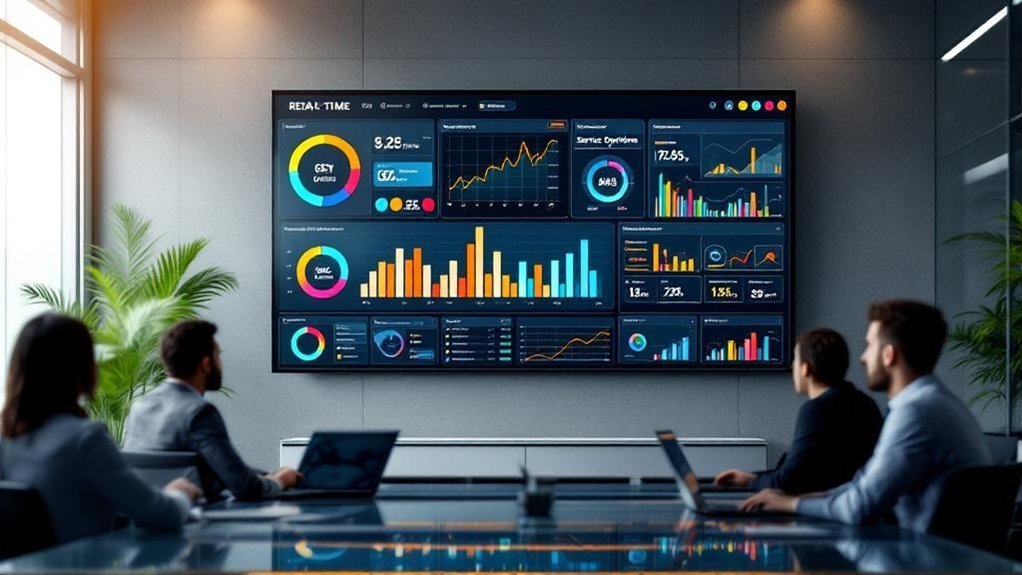
If you need to make faster, evidence-backed decisions across sales, inventory, and service, the Real‑Time GSM Dashboard gives you consolidated KPIs, instant alerts, and drilldowns that translate live events into actionable tasks. You’ll monitor sales revenue, customer engagement, and conversion rates in real time to pinpoint underperforming channels and reallocate resources strategically. For inventory, the DMS-integrated view exposes stock levels, turnover rates, and fulfillment status so you can optimize reorder points and reduce carrying costs. Service operations get visibility into request volumes, response times, and satisfaction scores, enabling prioritized interventions that improve uptime and retention. By consolidating Key Performance Indicators (KPIs) across domains, you’ll detect trends, execute precise adjustments, and maintain operational agility without waiting for delayed reports.
Alerting, Thresholds, and Automated Workflows
You’ll start by defining clear threshold configuration basics—metric selection, trigger levels, and hysteresis—to avoid noise and false positives. Then map those thresholds to automated response actions like notifications, escalations, or remediation scripts so incidents are handled consistently. Finally, design workflows that tie real-time inputs to targeted actions and audit trails for accountability.
Threshold Configuration Basics
When thresholds are defined for key performance indicators, the dashboard will generate timely alerts and trigger automated workflows so your team can act before issues escalate. You’ll use threshold configuration basics to set precise limits for KPIs, integrate live data sources, and define notification parameters (frequency, channels). Proper thresholds reduce downtime and focus responses on true anomalies. Configure alert sensitivity strategically to avoid noise while ensuring critical deviations surface immediately. Link thresholds to stakeholder lists so the right roles receive notifications. Test thresholds against historical and synthetic data to validate behavior. Below is a compact reference for common settings.
| Setting | Purpose |
|---|---|
| KPI Limit | Define upper/lower bounds |
| Notification | Channel & frequency |
| Data Source | Live feed linkage |
| Sensitivity | Alert trigger logic |
Automated Response Actions
Automation bridges detection and response in a real-time GSM dashboard, letting you define precise alerting rules and workflows that act immediately when KPIs cross thresholds. You’ll configure automated response actions to trigger multi-channel notifications (email, SMS) and invoke workflows that generate reports, escalate incidents, or remediate faults without manual steps. Interactive dashboards let you tune thresholds dynamically based on live telemetry, reducing false positives and adapting to traffic or load shifts. Strategically, you’ll map KPI states to escalation paths and SLAs so automated workflows align with operational priorities. Technically, implement rule engines with debounce, rate limits, and contextual payloads to guarantee reliable dispatching. This reduces mean-time-to-resolution, enforces consistency, and scales incident handling as your GSM environment evolves.
Security, Access Controls, and Compliance Considerations

Although robust access controls are foundational to a secure Real-Time GSM Dashboard, they’re only effective when combined with data masking, end-to-end encryption, and regular audit processes to enforce least-privilege and protect sensitive telemetry and subscriber information. You’ll implement role-based access, fine-grained permissions, and MFA to limit who can view or change KPIs and DMS-integrated records. Masking preserves analytic value while obfuscating identifiers in the UI and logs. Encrypt data in transit and at rest with proven algorithms and key management to prevent interception. Automate audits and validation checks to detect drift, unauthorized changes, or data-quality issues, producing tamper-evident logs for forensics. Finally, align policies and controls with GDPR/HIPAA requirements, maintain consent records, and document retention and breach-response procedures for compliance.
Scaling the Dashboard Across Multi-Location Operations
Because multi-location operations demand consistent, timely insights, you’ll design the Real-Time GSM Dashboard to aggregate site-level telemetry and DMS KPIs into a unified, cloud-native view that scales horizontally as sites and data volume grow. You’ll standardize ingest pipelines and schema to normalize inventory, sales, and operational metrics from disparate DMS instances, enabling low-latency queries and efficient storage. Implement multi-tenant architecture with per-site namespaces, role-based access, and configurable KPIs so each location sees tailored views while central teams retain roll-up visibility. Use autoscaling microservices, message queues, and time-series databases to absorb bursts and maintain SLAs. Finally, embed collaboration features and configurable alerts so teams across locations act on synchronized, DMS-integrated KPIs with traceable context and auditability.
Measuring ROI and Continuous Improvement Metrics

You’ll need robust ROI attribution models in the GSM dashboard to map revenue and cost impacts back to specific campaigns, channels, and operational changes. Use those attributions alongside iterative performance optimization loops—test, measure, adjust—to continuously lower cycle times and defect rates. Combining real-time KPIs with historical benchmarks lets you quantify marginal gains and prioritize the highest-value interventions.
ROI Attribution Models
When you need to tie marketing spend to measurable outcomes, ROI attribution models provide the framework to assign revenue to specific channels and touchpoints so you can reallocate budget toward what actually drives value. You’ll deploy single-touch and multi-touch attribution to quantify channel contribution across the customer journey, integrating outputs into KPI Dashboards for real-time visibility. Use conversion rates and customer acquisition cost as continuous improvement metrics to benchmark campaign efficiency, and prioritize channels that maximize incremental revenue per dollar spent. Regularly analyze attribution-derived ROI to detect underperforming campaigns and reassign resources promptly. With DMS-integrated feeds, you’ll automate data ingestion, maintain attribution model accuracy, and guarantee decisions are both data-driven and financially accountable.
Iterative Performance Optimization
Although iterative performance optimization demands constant measurement, it’s the disciplined loop of real-time ROI analysis, KPI-driven experiments, and rapid course corrections that converts raw data into measurable improvement. You’ll use the DMS-integrated GSM dashboard to ingest live feeds, visualize revenue, cost, and productivity KPIs, and run controlled experiments that isolate causal impacts. Embed continuous improvement metrics—customer satisfaction and NPS—alongside financial indicators so operational changes map directly to stakeholder value. Real-time alerts expose underperforming segments, letting you trigger corrective workflows and reallocate resources immediately. Routinely quantify incremental ROI from each experiment, update attribution assumptions, and prioritize initiatives by net benefit. Over iterative cycles, this measured, data-visualized approach reduces waste, increases throughput, and systematically drives higher returns.
Frequently Asked Questions
How to Show KPI in Dashboard?
Use KPI Visualization with interactive charts, real-time API feeds, and 5–8 prioritized metrics. You’ll implement drill-downs, responsive accessible layouts, and clear thresholds/alerts so stakeholders can quickly interpret trends and act strategically.
What Is an Interactive KPI Dashboard?
Like a cockpit, you get a live, interactive KPI dashboard that uses Data Visualization to show metrics, lets you filter and drill down, integrates sources, and supports strategic, technical decisions by turning raw data into actionable insights.
What Key Performance Indicators (KPIS) Are Best to Include in an HR Dashboard?
Include Employee Engagement, turnover rate, time-to-hire, training completion, diversity representation, absenteeism, performance distribution, cost-per-hire, retention by tenure, and internal mobility—so you’ll monitor satisfaction, efficiency, development, equity, and workforce stability strategically.
What Is a Digital Dashboard With Key Performance Indicators (KPIS)?
A digital dashboard with KPIs is a visual tool that consolidates metrics for rapid decision-making. Think of a cockpit gauge showing fuel levels; Data Visualization presents real-time, actionable insights so you can monitor, compare, and optimize performance strategically.
Conclusion
You’ll get a live command center that turns data into action — think of it as a cockpit where GSM and DMS systems fuse so you can steer performance. By monitoring key KPIs, syncing feeds, enforcing data governance, and automating alerts and workflows, you’ll cut reaction times and scale controls across locations securely. Keep measuring ROI and iterating the dashboard so improvements compound, visibility stays sharp, and decisions stay strategic and timely.