
Pair a concise, categorized digital service menu with real‑time status boards so your customers see options, prices and ETA at a glance and get live updates through milestones like Scheduled, Arrived, In‑Progress and Completed. Use reliable wired displays (43″–98″), cloud APIs for instant sync, role-based permissions, and multi‑zone screens to surface upsells and progress. Track latency, inquiry reduction and conversion KPIs to prove impact — keep going to learn practical setup, design and metrics.
Key Takeaways
- Design a concise, categorized digital service menu that highlights primary services, estimated times, and price bands for quick customer decisions.
- Integrate service management software to push real-time status milestones (Scheduled, Arrived, In Progress, Completed) to all displays automatically.
- Use multi-zone displays with clear visual hierarchy to show menu, live status, and contextually timed upsell prompts.
- Deploy reliable hardware (43″–98″ screens, 440+ nits, wired Ethernet) and cloud sync every 5–10 minutes for consistent visibility.
- Implement role-based permissions, audit logs, and KPIs (update lag, inquiry reduction, upsell conversion, satisfaction) to monitor impact.
Why Pairing Service Menus With Status Boards Matters
Because customers want transparency and speed, pairing digital service menus with status boards delivers measurable benefits: real-time updates reduce perceived wait times by over 35% and let patrons track stages like Scheduled, Arrived, Progress, and Completed, which builds trust. You’ll boost customer engagement by giving clear, real-time visibility into service progress and available offers; research shows 68% of customers are more likely to purchase after viewing digital signage. This setup increases upsell conversion by showcasing promotions while customers wait and reduces front-desk interruptions, improving staff focus on service quality. Operational transparency created by synchronized displays reassures customers, shortens perceived wait, and drives retention. Implementing both tools is a data-driven step to improve experience and revenue.
Key Components of a Service Menu and Status Board System
When you combine a clear, categorized digital service menu with a real-time status board, you create a system that cuts perceived wait times, boosts upsell conversion, and keeps customers informed at every stage of their vehicle’s service. Your system should include: a concise, categorized menu showing service variety, prices, and promotions for quick decision-making; real-time status updates tied to each job for transparency; integrated upsell prompts that surface current offers as work progresses; linkages between menu items and status milestones to streamline communication; and audit logs to track timing and customer touchpoints. Together these components drive customer engagement, reduce uncertainty, and increase trust—measurably improving satisfaction scores and conversion rates when implemented and monitored consistently.
Choosing the Right Displays and Hardware for the Service Drive
When choosing displays for the service drive, prioritize screen size and placement so customers can read information from typical waiting areas—options like the Sony BZ30L Series (43”–98”, 440 nits) cover most visibility needs. You’ll also need reliable connectivity and power options (wired Ethernet, PoE where possible, and UPS for outages) to guarantee real-time status and pricing updates stay live. Properly sized, well-placed screens with robust power and network paths will measurably increase engagement and upsell rates.
Screen Size and Placement
Although layout and lighting vary by dealership, choosing the right screen sizes and placement is a data-driven decision that directly affects visibility and customer engagement in the service drive. You’ll typically select displays from 43” to 98” so content is legible at varying distances; aim for one screen per two advisors to balance cost and coverage. Use placement strategies that position screens behind service advisors or in waiting areas and consider wall or ceiling mounts to optimize sightlines. Prioritize brightness — e.g., 440 nits — for clear daytime viewing. Deploy multi-zone displays to show service menus alongside live status updates so customers stay informed without switching screens. Measure sightlines and dwell time to refine size and placement choices.
Connectivity and Power Options
Connectivity and power are the backbone of a reliable service-drive display system, so pick wired network connections (Ethernet) and power feeds that match the Sony BZ30L-series class of screens (43″–98″, ~440 nits) to guarantee stable real-time status updates and legible daytime visibility. You should prioritize Ethernet connectivity options for low-latency, predictable bandwidth and simpler troubleshooting; reserve wireless only for temporary or hard-to-reach installations. Check power requirements per unit (voltage, amperage, and inrush current) and confirm circuit capacity and UPS support to avoid outages during peak business hours. Choose displays that support multiple content zones and cloud-based management so you can push service menus and status boards centrally. Document network segmentation, PoE needs, and maintenance windows for minimal customer disruption.
Integrating Service Management Software With Digital Signage
When you sync service management software with digital signage, real-time data updates guarantee status boards always show current vehicle progress, improving transparency and customer satisfaction. Automated status triggers cut manual work by pushing appointment changes and service milestones to displays instantly, reducing errors and wait-time confusion. Two-way integration lets signage reflect scheduling changes while feeding customer interactions and preferences back into your system for smarter upsells and retention.
Real-time Data Sync
Because real-time data sync links your service management software directly to digital signage, customers see up-to-the-minute service status and pricing that’s accurate throughout their visit. You get real time updates that preserve data accuracy across service menus and status boards, cutting manual edits and information lag. That synchronization reduces customer anxiety by transparently showing vehicle progress and current costs, which correlates with a reported 20% rise in satisfaction. Operational efficiency improves as price changes and service availability propagate instantly, freeing staff for higher-value tasks. You’ll also boost revenue potential by dynamically highlighting relevant upsell options tied to a vehicle’s status. Implementing reliable sync protocols and monitoring latency metrics guarantees the system stays trustworthy and effective.
Automated Status Triggers
If you tie your service management system to digital signage using automated status triggers, the service board will update instantly with labels like “Scheduled,” “In Progress,” and “Completed,” giving customers a clear, data-backed view of vehicle progress. You’ll use automated notifications to push real-time status, pricing updates, and promotions to screens without manual steps. That reduces perceived wait times by over 35% and boosts customer engagement through transparency. You’ll streamline advisor-to-customer communication, cut errors, and increase throughput by eliminating lag in updates. Metrics you can track include update latency, notification delivery rate, and changes in satisfaction scores. Implement triggers for key workflow events, test message relevance, and monitor engagement data to continuously refine what customers see and when.
Two-way System Integration
Although seamless visibility matters most to customers, two-way integration between your service management software and digital signage actually transforms that visibility into actionable communication — pulling live job data, pushing updates to displays, and accepting quick inputs from advisors to correct or augment what’s shown. You’ll get measurable system benefits: real-time status accuracy, fewer manual updates, and faster advisor-to-customer feedback loops. Integration strategies should prioritize API reliability, minimal latency, and role-based controls so content and promotions react to inventory and demand. That boosts transparency, reduces perceived wait times, and creates upsell opportunities via dynamic pricing and offers. You’ll free staff for service, not admin work, and retain more customers through consistent, data-driven communication.
- Real-time status sync
- Dynamic promotional content
- Automated error correction
- Role-based display controls
- Reduced manual tasks
Designing Clear, Customer-Focused Menu and Status Screens
When you design menu and status screens around clear categories, simple language, and real‑time updates, customers make faster, more confident choices and staff get fewer clarification requests; categorize services by need and price, use plain labels, surface live status changes, and tie visuals to brand so the interface communicates both progress and options at a glance. You’ll map the customer journey, using a strict visual hierarchy to surface primary services, estimated times, and price bands first. Use concise labels, data-driven ordering based on past selections, and targeted promotions tied to the current service context. Animations and branded graphics should reinforce trust without distracting. Syncing content contextually lets you promote relevant upgrades while status boards maintain transparency and reduce inbound questions.
Real-Time Data Flows: What to Sync and How Often
Because customers expect up-to-the-minute visibility into their vehicle’s progress, you should sync key data — service status, estimated time remaining, pricing, promotions, and concise service descriptions — across your digital menu, status boards, and DMS every 5–10 minutes (with faster cadence during peak traffic), using cloud-based integrations and milestone alerts like ‘Scheduled’, ‘In Progress’, and ‘Completed’ to keep displays accurate, reduce staff callbacks, and drive relevant upsells. You’ll prioritize real time synchronization of: ETA, status, price changes, promotional offers, and short service notes. Use APIs and cloud queues to push updates, monitor latency, and scale cadence during busy windows. Track metrics: update lag, reduction in inquiries, and upsell conversion to quantify customer engagement gains.
- ETA and progress markers
- Live pricing and discounts
- Concise service descriptions
- Milestone notifications
- Sync health and latency metrics
Scheduling, Permissions, and Multi-Screen Management
If you want every screen to show the same accurate status and offers, schedule updates through a cloud-based management layer that enforces role-based permissions and multi-screen sync, so only authorized staff can push changes and those changes propagate instantly across digital menus and status boards. You’ll get scheduling flexibility to set peak-hour promotions, off-hour maintenance notices, and live status refresh intervals that keep customers informed. Define clear permission levels so service advisors, managers, and IT each have appropriate edit, approve, or view rights — reducing errors and audit gaps. Multi-screen management lets you synchronize content across waiting-room displays, bay boards, and mobile clients for coordinated messaging. This approach improves transparency, speeds operations, and raises customer satisfaction through consistent, real-time information.
Measuring Success: Metrics and Reporting to Track Impact
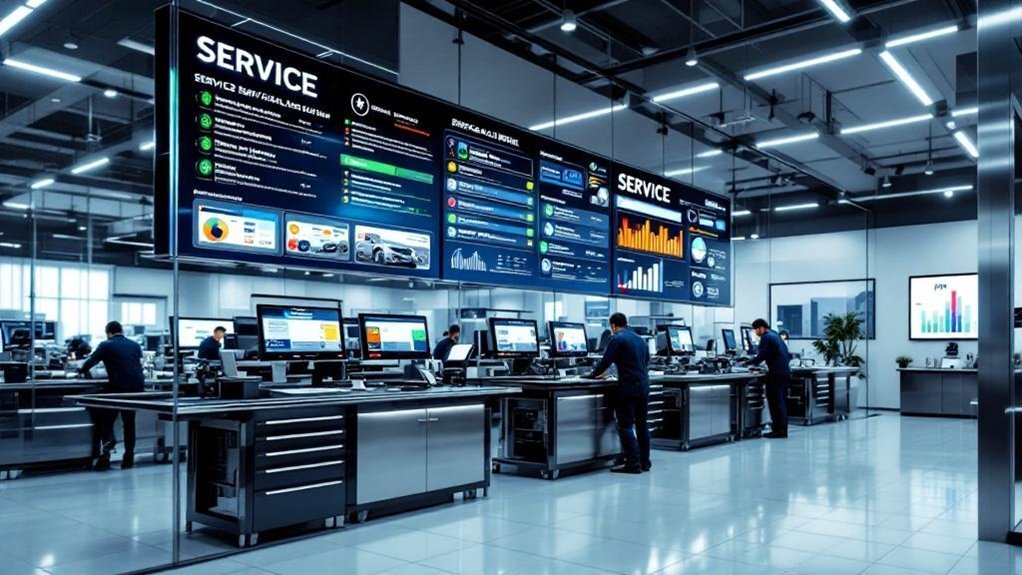
Although numbers don’t tell the whole story, you should start by defining clear KPIs—like service inquiries, conversion rates, satisfaction scores, average and perceived wait times, and membership enrollments—and set baseline measurements before rolling out digital menus and status boards. Use success metrics tied to behavior (68% influenced purchases), wait-time reductions (perceived wait cut by 35%+), and membership lift (≈20% increase). Combine customer satisfaction surveys with analytics and reporting tools to compare pre/post results, spot peak traffic, and tune content schedules. Present concise dashboards to stakeholders and run A/B tests for menu layouts and messaging.
Define KPIs, set baselines, measure pre/post impact, and use dashboards and A/B tests to optimize digital menus and boards
- Track service inquiries and sales conversions
- Measure satisfaction before and after deployment
- Monitor actual and perceived wait times
- Analyze peak traffic and display schedules
- Report membership enrollment changes and trends
Common Integration Challenges and How to Overcome Them
When you stitch digital service menus to status boards, the biggest hurdles tend to be technical compatibility, real-time data gaps, and user adoption — problems that show up in missed updates, conflicting availability info, and frustrated customers. Start by selecting platforms with documented APIs and cloud-based integration to reduce compatibility challenges and centralize data access. Measure synchronization latency and error rates; aim for sub-second or near real-time updates to prevent customer confusion. Invest in focused staff training so technicians and service advisors can update statuses accurately and troubleshoot common errors. Schedule routine maintenance and automated health checks to catch drift or API breaks early. Track customer satisfaction and update accuracy as KPIs to validate the integration’s reliability and business impact.
Frequently Asked Questions
Can Customers Opt Out of Having Their Vehicle Shown on Status Boards?
Yes — you can. Dealerships provide customer privacy controls and opt out options; you’ll choose anonymized IDs or hide your vehicle. Data-driven tracking still measures service flow without exposing personal info, keeping your privacy prioritized.
How Do You Handle Multilingual Customers on Menu and Status Displays?
Polite personalization: you’ll provide multilingual support and display customization, using language detection, customer-preferred profiles, and analytics-driven defaults; you’ll offer easy toggles, translated templates, and real-time updates to maximize clarity and customer satisfaction.
What Privacy Measures Protect Customer Names and Vehicle Details?
You’ll enforce data encryption at rest and in transit, log access, and limit displays to partial identifiers; you’ll obtain explicit customer consent for name/vehicle sharing, audit permissions regularly, and monitor for anomalies to maintain privacy.
Can Status Board Updates Trigger Automated Customer Notifications?
Yes — you can: when status boards change, they trigger automated notifications; when notifications send, they boost customer engagement. Use event-driven rules, templates, and metrics to guarantee timely, personalized, and measurable communication.
How Do You Train Staff to Use and Troubleshoot the Integrated System?
You train staff with role-based sessions, hands-on labs, and measured KPIs; include staff training on system troubleshooting, run simulated failures, track resolution times, and use customer-focused metrics to guarantee quick, consistent issue handling and improved satisfaction.
Conclusion
You’ll quietly boost customer satisfaction and operational clarity by pairing a clear digital service menu with live status boards — think “guided transparency” rather than raw data dumps. When you align real-time job states, priorities, and wait estimates, customers feel informed and staff work smarter. Track key metrics (turnaround, upsell rate, wait variance) and iterate weekly. Small, measurable tweaks deliver noticeable gains in throughput and NPS without disrupting your shop’s rhythm.